Best Applicant Tracking System (ATS) in India.
Manage jobs, candidates, resumes and hiring stages in one place
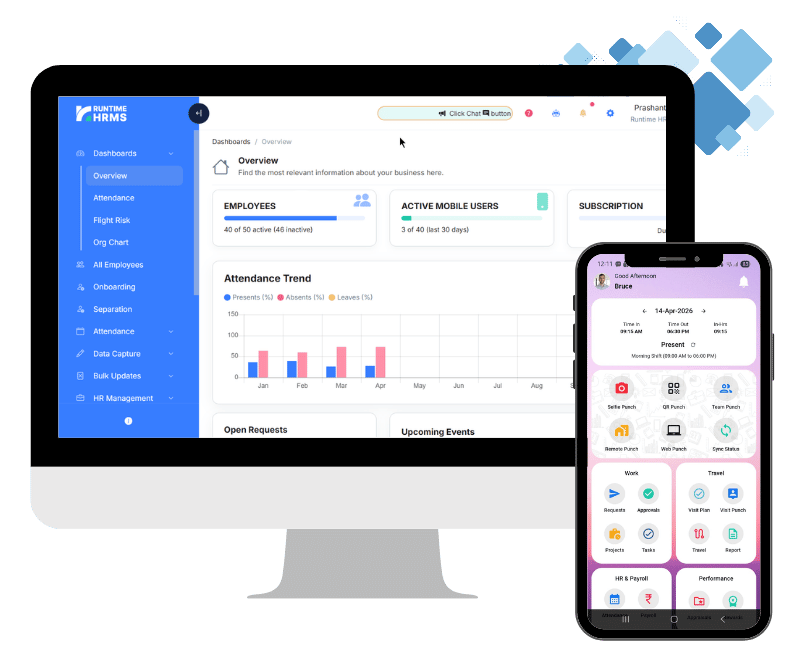
Think about the last time you hired someone. The resume came in on email, a second copy got forwarded on WhatsApp, and the notice period was mentioned on a phone call that nobody wrote down. Runtime HRMS applicant tracking system puts every opening, applicant and interview in one place. Each position carries its salary, experience and skills, every candidate gets a score out of 100, and you can see where each hire stands without asking around. Your team spends less time chasing and more time choosing.
- No credit card required
- Free Onboarding
- 7-days free trial
- Signup to Payroll in 30 mins

Our Esteemed Clients










Why HR Teams Choose Runtime HRMS Applicant Tracking System (ATS) for Hiring
Slow hiring is rarely about one big mistake. It’s the vacancy that only ever existed in a chat message. The resume that went to the wrong manager. The second round that nobody took notes on. Each one is small and easy to shrug off, until the offer goes out three weeks late. Runtime ATS builds hiring around the position itself, and everything else hangs off it: candidates, applications, interview feedback. HR gets that time back for the shortlisting.

Hiring Dashboard
Open positions, applications, status counts and the share of applications reviewed, for any date range you pick.

Structured Hiring Pipeline
Track applicants through screening, shortlisting, interviews, selection and rejection without maintaining separate spreadsheets.

Skill-Based Scoring
Each position carries its own skills and evaluation template. Interviewers rate those skills, and the ATS turns the ratings into a score out of 100.
Hiring Dashboard Software That Shows Owners and HR Where Every Hire Stands
If you run the business, you shouldn’t have to ask HR three times how the sales manager search is going. Runtime ATS keeps a hiring dashboard that answers it for you. Open positions, applications received, total positions and the share of applications already reviewed are all there, for whatever date range you care about. Shortlisted, OK to Hire, Rejected and Pending Review are counted separately, so a stalled search shows up early, before it turns into a month of delay.
- Know in seconds how many positions are open and how many applications are waiting
- Move an application forward as each round is completed
- Put an application On Hold when a decision has to wait
- Mark an application Rejected when it will not go further


Recruitment Software That Ends Lost Resumes and Repeated Data Entry
Resumes arrive by email, on WhatsApp, through job portals and from someone’s cousin. By the time they reach a spreadsheet, half the details have been retyped, and a few are wrong. Runtime HRMS ATS gives every candidate one profile and reads uploaded resumes to fill in the details for you. A recruiter checks what was picked up and saves. Candidates from earlier searches stay in the database, so a good applicant from last quarter can be considered for this quarter’s opening without starting over.
- Save recruiter hours by importing resumes instead of retyping themSet up and manage departments
- Keep every candidate in one shared database
- Reconsider past applicants when a new opening appears
- Stop the same person from being entered twice for the same job
Position Management Software to Agree the Role Before You Start Hiring
A lot of hiring pain starts before the first resume arrives. The manager wants five years of experience, HR budgeted for two, and nobody wrote down the skills. In Runtime ATS every position carries its salary range, experience range, number of openings and required skills from day one. The person screening resumes and the person approving the hire are looking at the same brief. Once the role is filled, close it, and the history stays on record.
- Align HR and hiring managers on budget and experience before applications arrive
- Define the required skills once and rate every candidate against them
- Hire for several openings under a single position
- Keep closed positions on file for reference

Get started for free
Signup now to start your 7-day free trial, no credit card required.
Enjoy fully featured Payroll & HR tools and eliminate the hassle of payroll every month.

Candidate Scoring Software That Replaces Gut Feel With Skill-Based Ratings
Two interviewers can walk out of the same interview with opposite impressions, and the loudest opinion usually wins. Runtime ATS gives interviewers the same skill list for the position, grouped by category, and asks for a star rating on each skill. The ratings roll up into an overall score out of 100, which shows how strong the candidate is for that exact role. Strengths, weaknesses and a recommendation go on record as well. Comparing candidates turns into a conversation about evidence.
- Judge every candidate on the same criteria, whoever the interviewer is
- Compare shortlisted candidates by score instead of by memory
- Lean less on first impressions
- Back every hiring decision with written reasoning
Hiring Records Your Whole HR Team Can Rely On
Hiring records matter most when something changes: a recruiter leaves, an old candidate comes back, or someone asks how a decision was made. Runtime ATS keeps every application as its own record, with the source, notice period, notes and status attached. A candidate who applies for two roles has two separate applications, so one decision never leaks into the other. Positions keep logs too. Nothing depends on one person’s memory or laptop.
- Keep source, notice period and recruiter notes with each application
- Hand over an open search without a long explanation
- Review a position’s history through its logs
- Keep one role’s decision from affecting the same candidate’s application for another

Interview Management Software That Keeps Every Round Organized and on Record
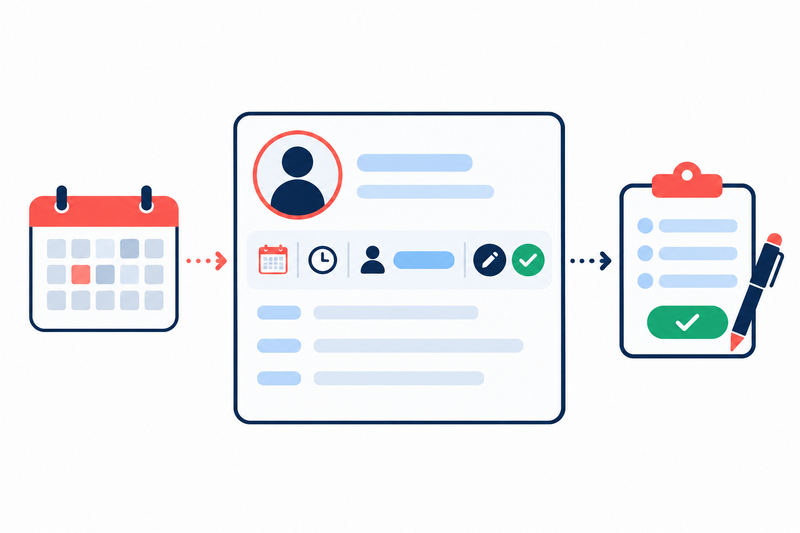
Interviews fall apart in small ways. A time was agreed on a call but never written down. An interviewer forgets to share feedback. Three weeks later nobody remembers why a candidate was turned down. Runtime ATS keeps the interview with the application: the date, time, mode and interviewer’s name, followed by the result once it is done. Anyone in HR can open an application and see what happened and when.
- Keep interview plans attached to the candidate instead of buried in chat
- Let any HR team member pick up a candidate without a briefing
- Record results while the interview is still fresh
- Answer “why did we turn this person down?” months later
Spend Less Time Typing Candidate Details
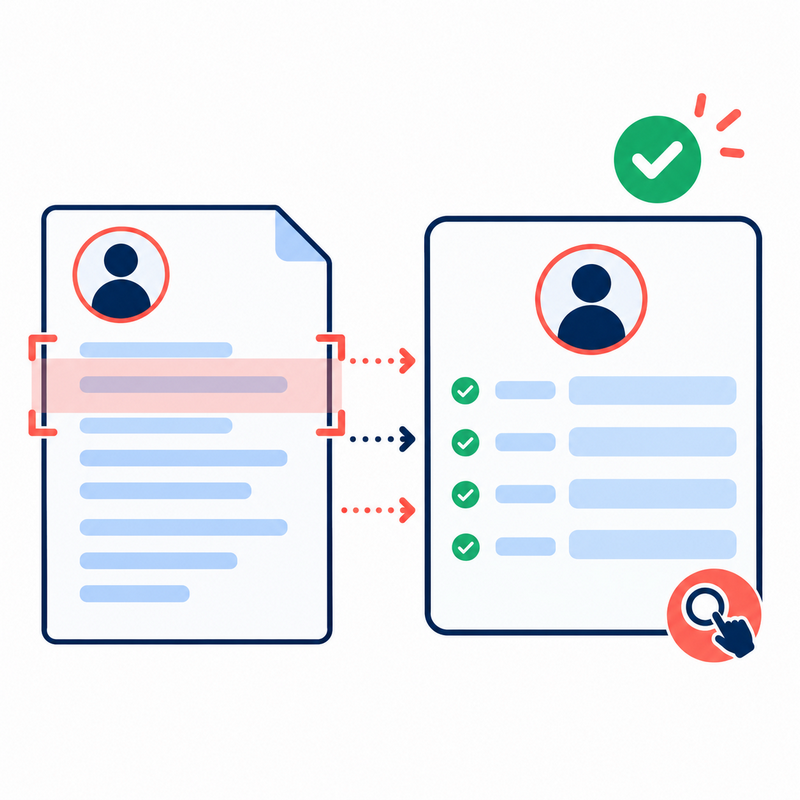
Uploading a resume should not mean entering the same information again manually. Runtime ATS supports PDF resume upload and parsing to help extract candidate information and speed up candidate creation. Recruiters can review parsed information and correct or complete fields before saving the candidate record.
- Faster candidate entry
- Less repetitive typing
- Resume stored with the candidate
- Cleaner recruitment records
- Easier candidate review

Best Online Candidate Management Software
One Candidate Can Apply for More Than One Role Without Losing the History
Runtime ATS keeps the candidate separate from the application. That means the same candidate can have different applications for different positions, while each application keeps its own. At the same time, Runtime prevents duplicate active applications for the same candidate and position.
- Status & source
- Expected salary
- Notice period
- Recruiter notes
- Application history
Why Recruiters Use An Applicant Tracking System (ATS)
When hiring volume increases, it becomes harder to remember which candidate applied for which role, who has already been screened, who is waiting for an interview, and which applicants still need follow-up. Runtime ATS gives recruiters one organized view of positions, candidates, applications and hiring stages, instead of relying on separate spreadsheets, inboxes and individual notes.
- Track candidate progress across every open position, not just individual resumes
- Keep resumes, application details, recruiter notes and hiring status connected in one place
- Move candidates through screening, shortlisting, interview and selection without losing track of follow-ups

4k
Employees Added
15k
Letters Issued
27k
Payslips Generated
500k
Punches Processed
* Average Quarterly Numbers
Services & Features
Best Runtime ATS Features That Make Everyday Hiring Easier
Date-Range Hiring Reports
See hiring activity for any month or quarter without building a report by hand.
Unseen Application Count
Know which positions still have applications that nobody has opened.
Salary and Experience Ranges
Keep the budget and experience brief next to every position.
Skills Added as Needed
Missing a skill in the list? Add it while setting up the position.
Applicant Score Badge
Strong candidates stand out in the list from the percentage beside their name.
Application Age at a Glance
Spot who applied today and who has been waiting a week.
Source and Notice Period
Record where a candidate came from and when they could join.
Position Logs and Closed History
Look back at a position even after it has been filled.
Built-In Help and Guide
Read Help and Download Guide sit inside the product, so new HR staff learn as they work.
Get started for free
Signup now to start your 7-day free trial, no credit card required.
Enjoy fully featured Payroll & HR tools and eliminate the hassle of payroll every month.
Frequently Asked Questions
Got Questions?
We’ve Got Answers.
Everything you need to know about getting started, subscriptions, payment plans and more.
What is an applicant tracking system?
An applicant tracking system, or ATS, is software that keeps your open positions, candidates and applications in one place and shows where each application stands. HR works from one record, not from a mix of email, chat and spreadsheets.
What can I see on the Runtime ATS hiring dashboard?
The dashboard shows open positions, applications for those positions, total positions and onboarding for a date range you choose. It also shows the percentage of applications reviewed, with counts for Shortlisted, OK to Hire, Rejected and Pending Review, plus recent positions and recent applications.
What details can I add when creating a position?
You can set the number of openings, the salary range, the experience range, the required skills and an evaluation template. If a skill is missing from the list, you can add it while creating the position. A filled position can be closed.
How does Runtime ATS calculate a candidate’s score?
Interviewers rate the skills linked to the position using star ratings, grouped by category. Runtime ATS calculates an overall score out of 100 from those assessment ratings and shows it as the candidate’s strength for that position.
Does Runtime ATS read resumes automatically?
Yes. Runtime ATS reads an uploaded resume and fills in the candidate’s details. A recruiter reviews and corrects them before saving, since resume layouts vary a lot.