


Quick Answer: What are the new income tax form numbers under the Income Tax Act 2025?
Under the Income Tax Act 2025, effective from Tax Year 2026-27, several familiar income tax forms have been renumbered:
- Form 16 → Form 130 (salary TDS certificate)
- Form 16A → Form 131 (non-salary TDS certificate)
- Form 15G & 15H → Form 121 (merged into one, age-neutral declaration)
- Form 24Q → Form 138 (quarterly salary TDS statement)
- Form 26QB/QC/QD/QE → Form 141 (consolidated challan-statement)
- Form 3CA/3CB/3CD → Form 26 (tax audit report)
- Form 26AS → Form 168 (annual tax credit statement)
Some of these are simple renumbering exercises. Others like Form 121 – involve real structural changes you need to act on, not just a new number to remember.
The Income Tax Act 2025 has renumbered several income tax forms, effective from Tax Year 2026-27. If you’re on an HR, payroll, or finance team, this matters because software vendors, consultants, and employees are all using different numbers right now, and that mismatch is where most of the confusion is coming from.
In this article I have explained all the forms that are changed, which you need to know.
The 7 Income Tax Form Numbers Changes List
| Form Description | Old Form Number | New Form Number |
| Certificate of tax deducted on salary | Form 16 | Form 130 |
| Certificate for tax deducted at source (non-salary) | Form 16A | Form 131 |
| Declaration for non-deduction of TDS (Fixed Deposits) | Form 15G & 15H | Form 121 |
| Quarterly statement of TDS on salaries | Form 24Q | Form 138 |
| Challan-cum-statement of deduction of tax | Form 26QB, 26QC, 26QD, 26QE | Form 141 |
| Audit Report by CA | Form 3CA, 3CB, 3CD | Form 26 |
| Annual Information Statement | Form 26AS | Form 168 |
All seven changes take effect from Tax Year 2026-27 (from 1st April 2026). For FY 2025-26, you’ll still be working with the old form numbers.
Let’s check each form one by one.
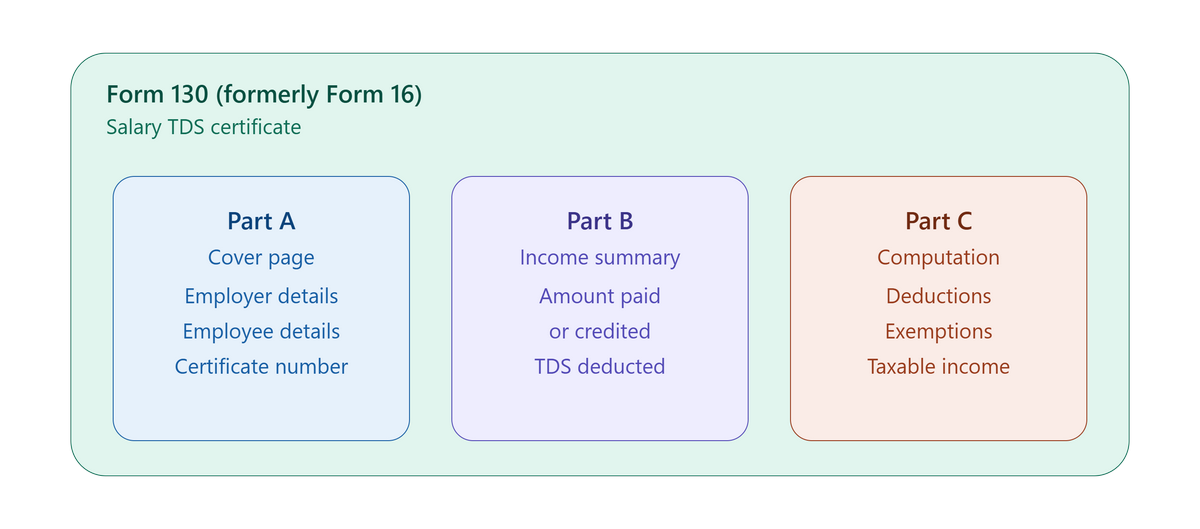
Form 130 (Formerly Form 16): Salary TDS Certificate
Form 130 is the direct successor to Form 16, the annual TDS certificate every salaried employee receives from their employer. You can download the form and check how it looks.
Let’s understand each part of the form:
Part A covers the basics like certificate number, employer details (name, address, PAN, TAN, email, contact number), the tax year, and the employee’s details.
Part B summarises the amount paid or credited each quarter against tax deducted and deposited, broken down by book adjustment or challan, depending on how your organisation deposits TDS.
Part C comes with two separate annexures, annexure-I is for regular employees and lays out the full salary-to-tax computation like gross salary, exemptions, and deductions itemized by specific section: life insurance and PF contributions under Section 123, employer’s NPS contribution under Section 124(1)(a), health insurance under Section 126, education loan interest under Section 129, donations under Section 133, and savings account interest under Section 153. The rebate is now referenced under Section 156, and relief under Section 157. Annexure-II is a simplified version specifically for specified senior citizens receiving pension or interest income through a specified bank.
Here I want to clarify that Form 130 cannot be self-generated as an issued certificate. The blank format shown above is publicly available and it’s published in the Gazette of India, and anyone can view or download the specimen. But a populated Form 130, with your actual salary, PAN, and TDS details filled in, is a different matter: it’s generated only through the TRACES portal, and only after the employer has filed and processed the quarterly TDS statement (now Form 138).
In short: Form 130 replaces Form 16, keeps Part A and Part B similar to before, but Part C now splits into two annexures with specific new section references (123, 124, 126, 129, 133, 153) and it’s issued only by the employer through TRACES, never self-downloaded.
📺 Want the full breakdown? Watch our video explaining Form 130’s new structure and how to get it issued correctly:
Form 131 (Formerly Form 16A): Non-Salary TDS Certificate
Form 131 replaces Form 16A and covers TDS on non-salary income like interest, professional fees, rent, and similar payments. Unlike Form 130, it’s a single-page structure with no Part C annexure – just Part A (deductor and deductee details, including the specific quarter of the tax year) and Part B (a payment summary followed by the same book-adjustment and challan reconciliation detail as Form 130).
Like Form 130, this is issued by whoever deducted the tax (a bank, a client, an institution), not generated by the person receiving the income. The blank format is public, same as Form 130’s, but the same TRACES-only rule applies to the populated, issued certificate: the deductor must file the relevant quarterly TDS statement first, then download and issue the certificate. If you’re a business making payments that attract TDS like vendor payments, professional fees, rent above the threshold – you’re the one responsible for issuing Form 131 to the payee, not the other way around.
📺 Want the full breakdown? Watch our video explaining who’s responsible for issuing Form 131 and how it’s different from Form 130:
Form 121 (Formerly Form 15G & 15H)
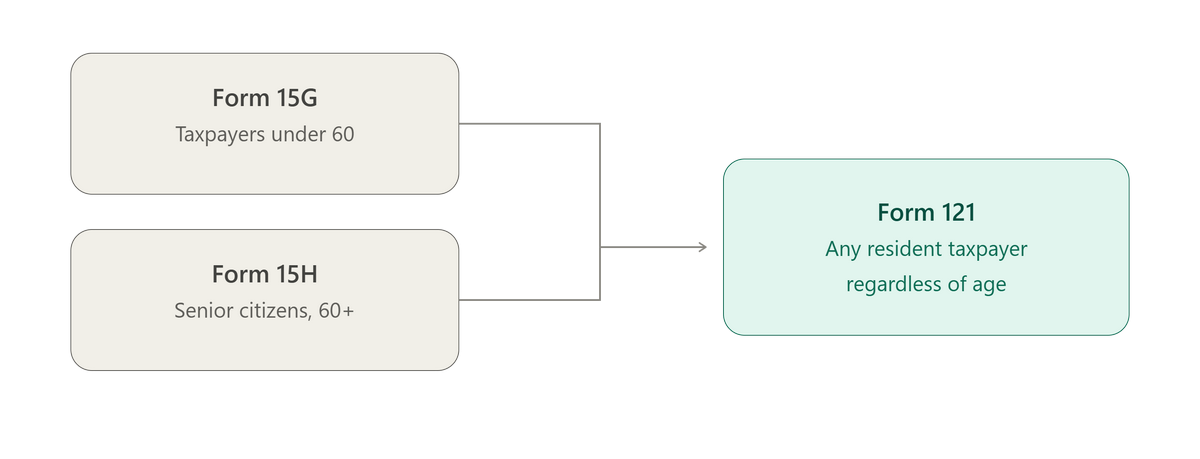
This is the form where employers and HR teams need to pay real attention, because it’s not just a renumbering, it’s a genuine merger with a new eligibility structure. Form 15G (for taxpayers under 60) and Form 15H (for senior citizens) have been combined into a single Form 121, used by resident taxpayers of any age to declare that their estimated tax liability for the year is nil, so no TDS should be deducted.
Let’s understand each part of the form:
Part A is filled by the declarant and captures more detail than the old forms did – alongside PAN and residential status, it now asks whether any other Form 121 has already been filed during the tax year, and if so, the aggregate income already declared, so the payer can see the full picture rather than one isolated declaration.
Part B is the payer’s verification section, where the person responsible for paying the income confirms receipt and, importantly, allots a Unique Identification Number to each declaration received during the quarter – this UIN then gets reported in that quarter’s TDS statement.
Thera are two things that worth flagging for your team. First, if any employees previously submitted Form 15G or 15H to a bank or to your organization to avoid TDS, those old declarations do not carry forward – a fresh Form 121 must be filed for Tax Year 2026-27, separately with each payer. Second, Form 121 is now required for EPF withdrawals where an employee wants to claim TDS exemption, so if your payroll or HR team handles EPF withdrawal processing, this is a form you’ll be seeing regularly.
📺 Want the full breakdown? Watch our video explaining why Form 121 isn’t just a renumbering – including the carry-forward rule and EPF withdrawal requirement:
Form 138 (Formerly Form 24Q)
Form 138 is the quarterly statement employers file reporting TDS deducted on salaries – this is the filing that, once processed, allows Form 130 (the employee’s TDS certificate) to be generated. If you’re running payroll, this is a form your team files, not one an employee interacts with directly.
Let’s understand each part of the form:
Part A captures deductor details (including whether you’re a Government or Non-Government deductor), the tax year, and details of the person responsible for deduction. What follows in later pages is where it gets substantial – Annexure-I carries the deductee-wise TDS breakup for the quarter, while Annexure-II (filed only with the March quarter return) carries a full year-long salary-to-tax computation for every employee, referencing the same deduction sections as Form 130 – 123, 124, 126, 129, 133, 153 – plus columns reconciling TDS reported by other employers if the employee changed jobs mid-year. Annexure-III does the equivalent for specified senior citizens.
For HR and payroll teams, the practical impact goes beyond naming – the Annexure-II structure now demands more granular section-wise reporting than the old Form 24Q’s Annexure II did, so your payroll software needs to actually generate these fields correctly, not just rename the form.
Form 141 (Formerly Form 26QB/QC/QD/QE)
Four separate challan-cum-statement forms – covering TDS on rent paid by individuals/HUFs, transfer of immovable property, payments to contractors or professionals, and transfer of virtual digital assets – have been consolidated into a single Form 141 with four schedules (A through D) for each transaction type.
This is mainly relevant if your organization handles property purchases, high-value rent payments, contractor payments, or crypto/VDA transactions that attract TDS under these provisions. Part A asks you to select the nature of transaction upfront, which then routes to the relevant schedule like Schedule A for rent, Schedule B for property transfers, Schedule C for contractor/professional payments, and Schedule D for virtual digital assets.
Form 26 (Formerly Form 3CA/3CB/3CD)
The three tax audit report formats – 3CA, 3CB, and 3CD – have been consolidated into a single Form 26. This is filed by a Chartered Accountant on behalf of businesses that fall under mandatory tax audit requirements.
The auditor first selects the applicable category – whether the business is already required to get its accounts audited under some other law (in which case Part A, B, and C apply) or not (Part A, B, and D apply). What follows is genuinely extensive – Part D alone runs through general information, accounting method, receipts, expenses, prior period items, losses and depreciation, international taxation, TDS/TCS particulars, GST, and quantitative stock details, each with its own detailed schedule. If your business requires a statutory tax audit, this is squarely your CA’s document, but it’s worth knowing the new reference so internal compliance tracking stays aligned with what your auditor is filing.
Form 168 (Formerly Form 26AS)
Form 168 replaces Form 26AS as the consolidated annual statement showing TDS credits, TCS credits, advance tax, and self-assessment tax linked to a PAN. Unlike Form 130 and Form 131, this one works in your favor operationally – Form 168 can be downloaded directly by the taxpayer through the income tax e-filing portal (e-File → Income Tax Returns → View Form 168), or through TRACES, no employer or deductor involvement required.
How Runtime HRMS Handles This
This is exactly where Runtime HRMS helps you, our system will automatically reflect the new numbering and updated deduction sections – your TDS certificates, Form 138 filings, and employee tax documents will all generate in the updated format without any manual intervention on your end.
New to Runtime HRMS?
Runtime HRMS helps you automate most HR & Payroll tasks. Put your HR Management on auto-pilot starting from employee onboarding, attendance, leaves, payroll, compliances, and all the way up-to employee exit.
For a detailed comparison, read our complete guide here.
Income Tax Section Number Changes
Check out the latest updates- visit: Home | Income Tax Department