
Quick Answer: Which HR email templates do Indian HR teams need most?
HR emails fall into six situations, and this guide has a ready-to-edit template for each:
- Hiring: interview invitation, job offer, job rejection
- Joining and confirmation: welcome, probation confirmation, increment, promotion
- Leave: approval and rejection
- Performance and conduct: PIP, show-cause notice, absconding notice
- Exit: resignation acceptance, termination, relieving and final settlement
- Company-wide: recognition, Diwali bonus, survey, policy update, training, phishing awareness
That makes 21 templates in total, each with a subject line and a note on what to get right. Four of them (PIP, show-cause notice, absconding notice and termination) carry legal risk, so check them against your contract, company policy and state rules before sending.
What are HR email templates?
As a human resource professional, excellent communication is essential for keeping the organization functioning smoothly. Your role needs continual communication, from communicating with employees and stakeholders to coordinating with other HR departments. Therefore, emails are an important part of this, but with so many activities to manage, creating emails for each new action can be time-consuming.
To make your job easier, this guide offers fourteen HR email templates that can be used regularly in all businesses. Customize and utilize these HR email templates to save hours and allow you to focus on more important HR activities. You can also add these templates in the HRMS system like Runtime HRMS to automate HR emails/letters.
What Every HR Email Should Contain
A good HR email has a subject line that names the action, one opening sentence that states the purpose, the specifics (dates, amounts, documents), the policy or clause it relies on, and a named person to contact. Keep the tone consistent with the situation: warm for a welcome, plain for a rejection, formal and factual for anything that could be disputed later.
Which Email for Which Situation
| Situation | Email to send | Care needed |
|---|---|---|
| Candidate shortlisted | Interview invitation | Low |
| Candidate selected | Job offer | Medium: must match the offer letter |
| Candidate not selected | Job rejection | Low |
| New hire about to join | Welcome email | Low |
| Probation period ends | Probation confirmation | Medium |
| Increment approved | Increment (salary revision) email | Medium: confidential |
| Employee requests leave | Leave approval or rejection | Low |
| Performance below expectations | PIP email | High |
| Misconduct alleged | Show-cause notice | High |
| Employee absent without information | Absconding notice | High |
| Employee resigns | Resignation acceptance | Medium |
| Employment ends by company decision | Termination email | High |
| Employee has left | Relieving and settlement email | Medium |
| Festival season | Diwali / festival bonus announcement | Medium |
Hiring Emails Templates
Interview Invitation Email
When to use: After shortlisting, to confirm the interview details in writing.
Subject: Interview Invitation: [Position] at [Company Name] on [Date]
Dear [Candidate Name],
Thank you for applying for the position of [Position] at [Company Name]. We would like to invite you for an interview.
Date: [Date] Time: [Time] (please arrive 10 minutes early) Mode: [In person at address / video link] Interview panel: [Names and designations]
Please carry an updated resume and a government photo ID. If this slot does not work for you, reply by [date] with two alternate slots. Please confirm your attendance by replying to this email.
Regards, [Name], [Designation] [Company Name] | [Phone]
The mistake I would watch for is an invitation with no confirmation request. Ask for a reply, or you will not know who is coming until they do not turn up.
Job Offer Email
When to use: After the offer is approved internally, along with the formal offer letter.
Subject: Job Offer: [Position], [Company Name]
Dear [Candidate Name],
We are pleased to offer you the position of [Position] at [Company Name]. Your interview impressed the panel and we would like you to join us.
Designation: [Position] Annual CTC: ₹[Amount] (breakup in the attached offer letter) Date of joining: [Date] Work location: [Location] Probation: [Period] Notice period: [Period]
The attached offer letter has the complete terms. Please sign and return a copy by [date]; the offer is valid until then. On your first day, please carry [ID proof, address proof, education certificates, relieving letter from your previous employer, last three salary slips].
We look forward to welcoming you.
Regards, [Name], [Designation], [Company Name]
Quote the CTC, not just “salary”, and say when the offer lapses. Nothing in the email should promise something the signed offer letter does not.
Job Rejection Email
When to use: When a candidate who interviewed is not being taken forward.
Subject: Your Application for [Position] at [Company Name]
Dear [Candidate Name],
Thank you for the time you spent interviewing for the position of [Position] at [Company Name]. After careful consideration, we have decided to move forward with another candidate.
We appreciate your interest in us. If you would like us to keep your profile for future openings, please let us know.
We wish you the very best.
Regards, [Name], [Designation], [Company Name]
Be clear that the decision is made. “We will get back to you” leaves people waiting for weeks. Skip detailed criticism unless the candidate asks for feedback.
Joining and Confirmation Emails Templates
Employee Welcome Email
When to use: A few days before the joining date, so the first day has no surprises.
Subject: Welcome to [Company Name], [Name]
Dear [Name],
We are delighted that you are joining us as [Position] on [Date].
On day one, please report to [Reporting manager] at [Location] by [Time]. Please carry the documents listed in your offer letter, and share your UAN if you already have one from a previous employer. Your onboarding schedule and our employee handbook are attached.
For any question before you join, contact [HR contact name] at .
See you on [Date].
Regards, [Name], [Designation], [Company Name]
Keep this practical. A person on the eve of joining wants the time, the place, the documents and a name to call. Culture can wait for the first week.
Probation Confirmation Email
When to use: When the probation period ends and the employee is confirmed.
Subject: Confirmation of Employment: [Name]
Dear [Name],
We are pleased to confirm your employment as [Position] with effect from [Date], after the satisfactory completion of your probation period of [Period].
[If applicable: Your revised designation / CTC is ___.] Your notice period after confirmation is [Period]. All other terms remain as per your appointment letter.
Congratulations, and thank you for your contribution so far.
Regards, [Name], [Designation], [Company Name]
Always confirm in writing, and say whether the CTC or notice period changes. An unspoken “you are confirmed” leaves the employee’s status unclear.
Increment (Salary Revision) Email
When to use: After the appraisal cycle, to share the revised compensation.
Subject: Salary Revision Effective [Date]
Dear [Name],
We are pleased to inform you that your compensation has been revised with effect from [Date], following the [annual appraisal cycle].
New annual CTC: ₹[Amount] New designation (if any): [Designation]
Your revised salary structure and increment letter are attached. [If the effective date is earlier than the payout month: Arrears for [months] will be paid with the [month] payroll.]
Compensation details are confidential. Please do not share this email.
Regards, [Name], [Designation], [Company Name]
Keep the effective date and the payout month separate in your mind, because mixing them up is how arrears errors begin. See our guides on the increment letter and salary arrears calculation.
Promotion Announcement Email
When to use: To announce an internal promotion to the team.
Subject: Promotion: [Name] is now [New Position]
Dear Team,
I am pleased to announce that [Name] has been promoted to [New Position], effective [Date].
[Name] has [one or two specific achievements]. In the new role, [he/she/they] will [key responsibilities] and report to [Manager].
Please join me in congratulating [Name].
Regards, [Name], [Designation], [Company Name]
Name the effective date and the reporting line, and leave the pay change out of a team-wide email.
Leave Emails Templates
Leave Approval Email
When to use: When a leave request is approved.
Subject: Leave Approved: [Start date] to [End date]
Dear [Name],
Your [type of leave] request has been approved.
Dates: [Start date] to [End date] Number of days: [Days] Leave balance after this leave: [Balance] Return date: [Date]
Please hand over any pending work to [Name] before you leave. [For sick leave beyond [X] days, please submit a medical certificate as per policy.]
Regards, [Name], [Designation], [Company Name]
Mention the leave type and the balance left. Those two details answer most of the follow-up questions HR gets.
Leave Rejection Email
When to use: When a leave request cannot be approved for the requested dates.
Subject: Leave Request for [Dates]: Update
Dear [Name],
Thank you for your request for leave from [Start date] to [End date]. We are unable to approve it for these dates because [specific reason, for example, a critical deadline or team coverage].
We could approve the leave for [alternative dates]. If the dates cannot be moved, please speak to [Manager/HR] so we can find a solution.
Regards, [Name], [Designation], [Company Name]
Always give a real reason and an alternative. A rejection that arrives after the leave has started is the one that causes disputes.
Performance and Conduct Emails Templates
Performance Improvement Plan (PIP) Email
When to use: After a documented conversation about performance, to set out a time-bound plan.
Subject: Performance Improvement Plan: [Name]
Dear [Name],
Following our discussion on [Date], this email sets out a Performance Improvement Plan for [Period, for example 60 days], starting [Date].
Areas to improve: [Specific, measurable items] Targets: [What success looks like, with numbers or dates] Support: [Training, mentoring, tools] Check-ins: [Frequency, for example weekly with your manager] Review date: [Date]
At the end of the period we will review progress together. If the targets are met, the plan will be closed. If they are not, further steps as per company policy may follow.
Regards, [Name], [Designation], [Company Name]
A PIP that says “improve communication” is not a plan. Every goal should be something you can check on the review date. And if the decision has already been made, a PIP used as a formality is unfair to the employee and weak in a dispute.
Show-Cause Notice Email
When to use: When an alleged act or omission needs a written explanation before any decision is taken.
Subject: Show-Cause Notice: [Short description of the matter]
ear [Name],
It has been reported that on [Date], [factual description of the alleged act or omission]. This appears to be in violation of [policy / clause].
You are required to explain in writing why action should not be taken against you. Please send your response to [HR contact] by [date and time].
This notice is not a finding of misconduct and no decision has been made. If we do not receive a response by the date above, the company may proceed as per its policy.
Regards, [Name], [Designation], [Company Name]
State facts, not conclusions, and give a reasonable time to reply. The notice should read as an opportunity to explain, not as a decision already taken. For serious misconduct, have the notice reviewed by your legal advisor before it goes out.
Absconding Employee Notice Email
When to use: When an employee has been absent without approval or information.
Subject: Notice: Unauthorised Absence Since [Date]
Dear [Name],
Our records show that you have been absent from [Date] without approval or information. You are requested to report for duty by [Date], or to contact [HR contact] with the reason for your absence in writing.
If we do not hear from you by [Date], the company may treat this as [abandonment of service as per company policy] and proceed accordingly. Any dues will be settled as per policy and applicable law.
Regards, [Name], [Designation], [Company Name]
Send it to the registered email and the last known address and keep proof of each attempt. One notice is rarely enough. Take legal advice before treating an absence as abandonment and see our guide on notice period recovery for the recovery side.
Exit Emails Templates
Resignation Acceptance Email
When to use: After receiving a resignation letter, to confirm the last working day and next steps.
Subject: Acceptance of Resignation: [Name]
Dear [Name],
I acknowledge receipt of your resignation letter dated [Date]. Your resignation is accepted.
Your last working day will be [Date], in line with the notice period of [Period] in your appointment letter. [If early release or notice buyout has been agreed in writing, mention it here.]
Please complete the handover to [Name] by [Date], return company assets, and complete exit clearance with HR, IT and Admin. An exit interview is scheduled for [Date]. Your relieving letter and final settlement will follow as per policy once clearance is complete.
Thank you for your contribution to [Company Name].
Regards, [Name], [Designation], [Company Name]
Do not agree to an early release in conversation and then act surprised by it in the settlement. Put it in writing.
Termination Email
When to use: To confirm a termination decision, after the process your contract and policy require. Usually sent along with a formal termination letter.
Subject: Termination of Employment: [Name]
Dear [Name],
This email confirms the decision, taken after [the process followed, for example the meeting on [Date] / the inquiry concluded on [Date]], to terminate your employment with [Company Name] with effect from [Date].
[Reason, stated factually and consistent with the documented process.]
Notice or pay in lieu of notice: [As per your appointment letter]. Please return company assets, including [list], by [Date].
Your final settlement, including [pending salary, leave encashment and other dues as applicable], will be processed as per the applicable rule and company policy. Details will follow from [HR contact].
The formal termination letter is attached.
Regards, [Name], [Designation], [Company Name]
This is the template to be most careful with. The reason must match the record, the process must match your contract and policy, and nobody should first hear about it from this email. Get it reviewed before sending. For the settlement timeline, check the current rule for your state and see our Full and Final Settlement guide.
Relieving and Final Settlement Email
When to use: After exit clearance, to share the relieving letter and the settlement statement.
Subject: Relieving and Final Settlement: [Name]
Dear [Name],
Thank you for completing your handover and clearance. Your relieving date is [Date], and your relieving letter [and experience letter] is attached.
The attached settlement statement shows, line by line: salary up to your last working day, leave encashment (if applicable), bonus or gratuity (if eligible), and any recoveries such as notice shortfall or advances, with the basis for each.
Net amount: ₹[Amount], to be credited to your bank account on [Date]. Your tax certificate (Form 16 or Form 130, as applicable) will be issued after the year-end TDS filing. For your PF, please keep your UAN active and apply on the EPFO member portal for transfer or withdrawal.
Thank you again, and all the best.
Regards, [Name], [Designation], [Company Name]
Itemize the settlement and give the basis for each deduction. A single lump-sum figure is what turns a routine exit into a dispute. And do not hold undisputed dues back because one recovery is under discussion. See our guides on leave encashment
Company-Wide Communication Emails Templates
Employee Recognition Email
When to use: To thank an employee for a specific achievement.
Subject: Thank You, [Name]: [Achievement]
Dear [Name],
I wanted to thank you personally for [specific project or achievement] over the past [duration]. [One sentence on the specific impact it had.]
[If applicable: As a small token of appreciation, we would like to give you [reward].]
Thank you for the effort, and for setting the standard for the team.
Regards, [Name], [Designation], [Company Name]
Praise lands when it names the thing. “Great work” is forgotten by lunch, while “your handover notes saved the team two days” is remembered.
Diwali / Festival Bonus Announcement Email
When to use: Before the festival, to announce a bonus and how it will be paid.
Subject: Diwali Bonus: [Year]
Dear Team,
As we approach Diwali, we are pleased to announce a [festival bonus] of [₹amount / basis of calculation] for eligible employees, payable on [Date] along with the [month] salary.
Eligibility: [Rule, for example employees on the rolls as of [date] with at least [period] of service]
[If applicable: This amount will / will not be adjusted against any statutory bonus payable for the year.]
Wishing you and your families a happy Diwali.
Regards, [Name], [Designation], [Company Name]
A festival bonus is usually discretionary, and a statutory bonus is a legal obligation. If you intend one to count towards the other, say so in writing, and confirm the treatment with your CA. Our Statutory Bonus guide explains the difference.
Employee Survey Announcement Email
When to use: To invite employees to take an engagement or feedback survey.
Subject: Your Feedback Matters: [Survey name]
Dear Team,
We are launching [Survey name] to understand how you feel about working at [Company Name], and your input will shape [what will be done with it].
Survey link: [Link] Closes on: [Date] Time needed: about [X] minutes
Responses are [anonymous / confidential] and will be reported only in aggregate. If you have a problem with the link, contact [Name].
Thank you for your time.
Regards, [Name], [Designation], [Company Name]
Be honest about who can see the answers. If the survey collects personal data, state the purpose.
Company Policy Update Email
When to use: When a policy, benefit or procedure changes.
Subject: Policy Update: [Policy name], Effective [Date]
Dear Team,
We have updated our [policy name] policy, effective [Date].
What is changing: [Two or three lines on the key changes] Who is affected: [Employees / teams] Where to read it: [Link or location]
Please read the updated policy and acknowledge it by [Date] at [link/method]. For any question, contact [HR contact].
Regards, [Name], [Designation], [Company Name]
Say what changed, not just that something did. Ask for an acknowledgement so you have a record that the policy was communicated. If the change affects terms in the appointment letter, take advice on how to introduce it.
Training Invitation Email
When to use: To invite employees to a workshop or training session.
Subject: Training Invitation: [Topic] on [Date]
Dear Team,
You are invited to a training session on [Topic].
Date and time: [Date, Time] Venue / link: [Location or link] Trainer: [Name and one line on expertise]
What you will learn: [Two or three outcomes]
Please confirm your attendance by [Date] at [link/email]. Seats are limited. Any pre-reading will be shared by [Date].
Regards, [Name], [Designation], [Company Name]
Lead with what people will be able to do afterwards. It gets better attendance than a list of agenda items.
Phishing Awareness Email
When to use: Periodically, and straight after a phishing attempt is reported.
Subject: Stay Alert: Phishing Emails and Messages
Dear Team,
Phishing remains one of the most common ways attackers get into a company. Common examples include fake requests to update KYC or PF details, “salary revision” links, and messages that pretend to come from a senior colleague.
Before you click: check the sender’s address, hover over links to see where they lead, and be suspicious of urgency. Never share passwords or OTPs, and verify unusual requests through a different channel.
If you suspect a phishing attempt, do not reply. Forward it to [IT/Security email] and delete it.
Regards, [Name], [Designation], [Company Name]
Using real examples from your own workplace works better than generic advice. Employees remember what looks familiar.
Automating HR Emails With Runtime HRMS
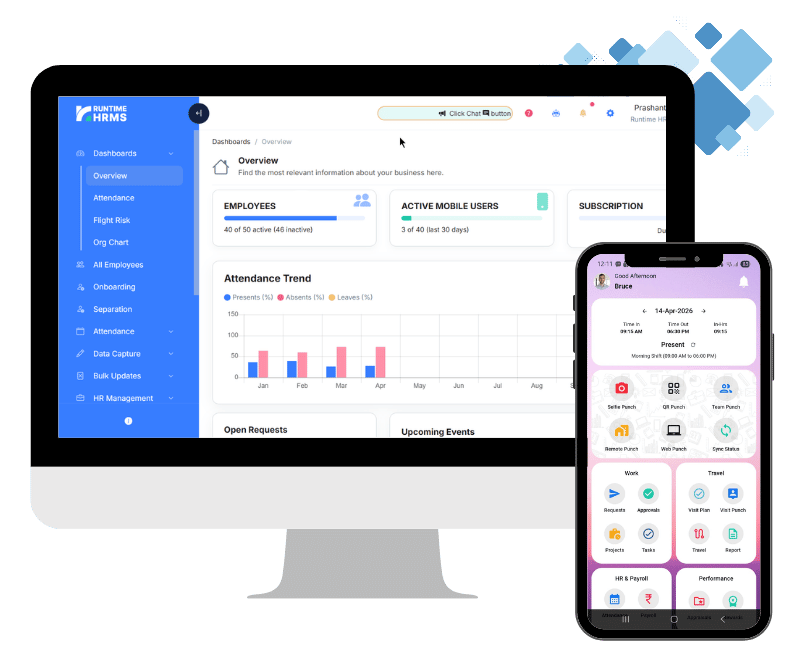
If you send the same emails every week, rewriting them is a waste of an HR person’s time. Runtime HRMS lets you create and update predefined templates for HR letters and emails, and send them to employees in bulk with a single click, instead of drafting each one from scratch. HR letters are included in the Growth plan.
Still Sending the Same HR Emails Manually?
Templates save time when you write an email. Automation saves time when your HR team sends the same communication again and again.
Runtime HRMS lets you create and update predefined templates for HR letters and emails, and send them to employees in bulk with a single click – instead of drafting each one from scratch.
See Runtime HRMS in ActionFor official references: Ministry of Labour and Employment (Labour Codes) | EPFO (UAN and PF transfer or withdrawal) | Income Tax Department (Form 16 / Form 130)