
Quick Answer: What Reports Does Runtime HRMS Include?
Runtime HRMS includes 50+ pre-built MIS reports across payroll, attendance, leave management, compliance, taxation, recruitment, and workforce analytics. All reports are generated from live HR and payroll data, enabling HR teams and business owners to monitor workforce performance, ensure compliance, and make informed decisions with just one click.
10 Most Popular Reports Included
- Salary Register Report
- Attendance Summary Report
- Headcount Report
- PF & ESI Compliance Report
- Leave Balance Report
- Department-wise Salary Cost Report
- TDS Report
- Attrition Report
- Overtime Report
- New Joiner & Exit Report
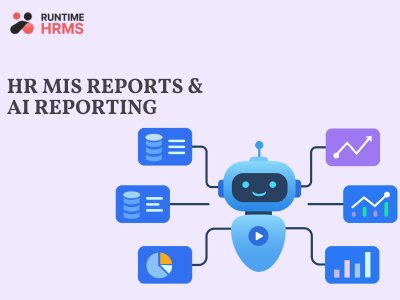
AI-Powered Reporting
Beyond standard MIS reports, Runtime HRMS includes AI-powered reporting that helps identify unusual payroll and attendance patterns, highlights workforce trends, predicts potential attrition risks, and surfaces actionable insights before they become larger business challenges.
Every month, business owners ask their HR managers the same set of questions.
“How much did we spend on payroll this month?” “Which department has the highest absenteeism?” “How many people joined and left?” “What’s our PF liability for this quarter?” And every month, HR managers spend hours pulling data from spreadsheets, attendance registers, and payroll software – just to answer questions that should take 30 seconds.
At Runtime HRMS, we built 50+ MIS reports and an AI reporting layer specifically, so this conversation never has to happen. Every report runs on live data – the same data that processes payroll and tracks attendance. No manual compilation. No spreadsheet merging. Two clicks, and the answer is ready.
What Makes Runtime HRMS Reporting Different
“Runtime HRMS reports pull from live payroll and attendance data – so every report reflects the current state of your workforce, not a snapshot from last month’s Excel export.”
Most companies manage HR data in different-different systems like Payroll in one system. Attendance in another. Leave records in a third. When management asks a question that requires data from more than one source, someone has to manually pull it together – and by the time it’s ready, the data is already stale.
In Runtime HRMS, payroll, attendance, leave, compliance, and employee data all live in the same system. Every report – whether it’s the salary register, the PF compliance report, or the attrition analysis – pulls from this single source of truth. The salary register you generate on the 1st reflects the payroll that just ran. The attendance report for the week reflects this week’s actual data.
What is AI Reporting in HR?
“Runtime HRMS AI reporting uses machine learning to identify patterns and anomalies across HR data – surfacing insights that standard reports don’t show and flagging issues before they become problems.”
The difference between MIS reports and AI reporting is that MIS reports only tell what just happened, but AI reporting tells you what to be happen next and where to look before a problem becomes serious.
At Runtime HRMS, AI reporting works alongside the standard 50+ MIS reports. The AI layer analyzes patterns across attendance, payroll, and employee data – flagging things like: an employee whose attendance dropped significantly over three months (early attrition signal), a department where overtime is trending upward (workload or staffing issue), or salary variances that fall outside normal ranges (potential payroll error).
This doesn’t replace HR judgment. It amplifies it – by pointing HR managers toward the data that needs attention, rather than requiring them to hunt through every report manually.
10 HR MIS Reports Every Company Must Track
Salary Register Report
“Salary register is the master record of monthly payroll, it shows every employee’s gross salary, all deductions, and net pay in one structured document. It is a statutory requirement under multiple Indian labour laws.”
Beyond compliance, the salary register is the foundation of every other financial report. Department-wise cost analysis, salary trend tracking, and budget vs actual variance – all of these start with the salary register. What to look for: net salary total vs previous month (flag any variation above 5%), employees with zero net pay, new joiners and exits correctly reflected.
Attendance Summary Report
“Attendance summary report shows the employee worked days, absent days, late arrivals, and LOP in a month, it is the primary input for accurate payroll processing.”
A good attendance summary report flags: employees with unusually high absent days, departments where late arrivals are clustered, employees approaching their leave balance threshold, and any attendance anomalies that might indicate buddy punching or system errors.
For companies with field employees, attendance reports must also cover GPS-verified check-ins and visit logs – not just office punch data.
Headcount Report
“Headcount report shows the total number of active employees at present in the organization”
I know it’s sound very simple and basic, but I’ve worked with companies that didn’t know their actual headcount within 5-10 people – because joiners weren’t onboarded in the system promptly, exits weren’t updated, and contract workers were tracked separately from permanent employees.
The headcount report is management’s reality check. It’s also what auditors and labour inspectors ask for first during any inspection.
PF & ESI Compliance Report
“PF and ESI compliance report shows each employee’s contribution, the employer’s contribution, and total deposit for the month – along with the ECR file status for EPFO and challan status for ESIC.”
This is the report that protect the company from statutory notices. PF must be deposited by the 15th of every month. ESI by the 15th. The compliance report tells you – was it done? For how many employees? Were there any employees whose contributions were miscalculated?
Check more compliance: Ministry of Labour
Leave Balance Report
“Leave balance report shows each employee’s earned leaves, leaves taken, and remaining balance for every leave type – earned leave, casual leave, sick leave, and any company-specific categories.”
This report prevents two common problems: employees taking leave they don’t have (which creates LOP disputes), and employees carrying forward more leave than your policy allows (which creates unexpected encashment liability at exit).
Department-wise Salary Cost Report
“Department-wise salary cost report breaks total payroll expenditure by department – showing which teams cost how much and how that compares to budget and the previous period.”
This report is important for CFO and CEO, when they ask to HR “why did payroll go up this month?” Beyond explaining variances, this report is the foundation of workforce cost budgeting. Companies that track department-wise salary costs monthly can forecast next quarter’s payroll within 3-5% accuracy.
TDS Report
“TDS report shows monthly TDS deducted per employee, cumulative deduction for the financial year, and projected annual tax.”
TDS on salary is not a set-and-forget calculation. It changes when salaries change, when investment declarations are updated, when employees cross tax slab boundaries mid-year. From April 2026, TDS on salary is governed by Section 392 of the new Income Tax Act 2025. Form 143 (formerly Form 24Q) must be filed quarterly. The TDS report is the foundation for both.
Attrition Report
“Attrition report tracks employee exits over a period – showing voluntary vs involuntary separation, department-wise attrition rate, and average tenure at exit.”
Attrition is the most expensive metric most companies don’t track properly. Replacing one employee typically costs 50-200% of their annual salary – recruitment fees, onboarding time, productivity loss, and training. For a 100-person company with 15% annual attrition, that’s a ₹30-60 lakh annual cost that never appears on any P&L.
Overtime Report
“Overtime report shows total overtime hours, and overtime pay per employee and department.”
After the January 2026 Supreme Court ruling changed the overtime base for factory workers – from Basic + DA to Basic + DA + all allowances – overtime reports became even more important for manufacturing companies.
The quarterly cap under the Factories Act is 50 hours. A monthly overtime report that tracks hours against this cap prevents violations before they happen.
New Joiner & Exit Report
“New joiner and exit report show every employee who joined or left in the period – with joining date, designation, department, salary, and in the case of exits, the reason and last working day.”
This report is the operational heartbeat of HR. Joiners who haven’t been set up in payroll. Exits where FnF hasn’t been initiated. Contract-to-permanent conversions that happened without a system update.
Which Plan Includes Reporting?
“50+ MIS reports and AI reporting are included in all Runtime HRMS plans – starting from the Seed plan at ₹35/employee/month.”
| Plan | Price | Reports |
| Free | ₹0 (up to 5 employees) | ✅ 50+ Reports + AI Reporting |
| Seed | ₹35/emp/month | ✅ 50+ Reports + AI Reporting |
| Growth | ₹50/emp/month | ✅ 50+ Reports + AI Reporting |
| Scale | ₹75/emp/month | ✅ 50+ Reports + AI Reporting |
Ready to Find Out How Runtime 50+ MIS Reports + AI Reporting Works?
Share your employee count, attendance setup and payroll requirements. See how Runtime HRMS can connect payroll, attendance, leave and employee management in one system.
Book Your DemoQuick Summary
- Runtime HRMS includes 50+ pre-built MIS reports – salary, attendance, compliance, taxation, all in one click
- AI reporting flags anomalies and patterns that standard reports miss – attrition signals, overtime trends, payroll variances
- Natural language reporting – ask questions in plain English, get the report instantly
- All reports pull from live data – no manual compilation, no spreadsheet merging
- Included in all plans including the free plan – not a premium addon
- Key reports: salary register, attendance summary, headcount, PF/ESI compliance, leave balance, department cost, TDS, attrition, overtime, joiner/exit
Also Read: