
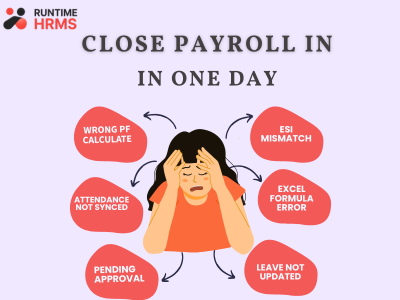
Want to Payroll close in 1 day, and it’s sounds like an impossible thing, many HR and payroll team feels like a monthly crisis in payroll week. Let’s be honest, every month you know exactly what’s coming.
Attendance corrections in last minute, managers suddenly remember approvals, last minute employee leave correction or deductions mistakes.
Mid-month employee joining, another one who resigned but whose exit wasn’t updated. Two people asking for advance salary. And your boss asking why payroll isn’t closed yet.
If you are a HR and handling all of this, know this pain. But the problem is not you or in Hr job, the problem is in the process you are following.
And the good news? Payroll can be closed in 1 day. Not 4. Not 5. One. Let me show you exactly how.
Why Does Payroll Take So Long?
Before discussing the solution, first, let’s understand what’s eating your time.
If you honestly track where your payroll hours go, it looks something like this:
| Task | Time Spent |
| Collecting and verifying attendance data | 6–8 hours |
| Chasing managers for leave approvals | 3–4 hours |
| Handling mid-month joiners and exits | 2–3 hours |
| Calculating PF, ESI, TDS, PT manually | 4–5 hours |
| Cross-checking salary components and revisions | 3–4 hours |
| Preparing payslips and sending them | 2–3 hours |
| Handling employee salary queries | 2–3 hours |
In most company’s payroll gets stuck because data is scattered across multiple systems. The actual payroll calculation isn’t the problem. Collecting and verifying data is.
And the worst part? Chasing for information and collecting data from different teams.
As per EPFO India, PF contributions must be deposited by the 15th of every month — delays attract 12-25% penalty per annum.
The 3 Real Reasons Payroll Takes Too Long
Reason 1 — Attendance Data Not Correct or Synced
Attendance data is one of the biggest reasons payrolls gets delayed, the biggest time killers are: biometric machines, manual registers, WhatsApp messages, email, Excel sheets or using different software for attendance and payroll.
Reason 2 — Approvals Are Stuck Somewhere
The second biggest reason is Leave approval is not automate, managers approve the leave and HR got verbally but it was never updated in the system. Every pending approval is a bottleneck. And when payroll has a deadline — every bottleneck costs you hours.
Reason 3 — Manual Calculations of Salary Components
If HR is manually calculating:
- LOP deductions
- Overtime
- Shift allowances
- Incentives
- Statutory deductions
- PF, ESI, TDS, Professional Tax
- Arrears
- Mid-month joiners
- Gratuity provisions
- Full-month exits
Every month, payroll will naturally take longer and error occur. And once an error is in the system, finding it and fixing it takes longer than doing the whole calculation again.
How to Actually Close Payroll in 1 Day?
Closing payroll in 1day is not a magic, it should be. It’s about eliminating the bottlenecks before payroll week even starts.
Freeze Attendance Before Payroll Day
A simple solution is to define an attendance cut-off date.
For example:
- Attendance closes on the 28th
- Managers complete approvals by the 29th
- Payroll is processed on the 30th
This creates a clear timeline and eliminates last-minute surprises.
Leave and Attendance Connected
Start using HRMS software with mobile attendance — employees mark their own attendance in real time. No compiling, no chasing, no cleaning. It’s just there. When leave management and attendance are connected, approved leaves automatically reflect in payroll calculations.
Set Hard Deadlines for Inputs
Salary revisions, new joiners, exits, investment declarations, reimbursement claims — all of these need a hard cut-off date. Something like the 25th of every month. Because setting a reimbursement submission deadline helps payroll interruptions. Any claim received after the cut-off moves to the next payroll cycle.
This sounds strict. But believe me — once people know the deadline is real, they stop submitting things on the last day.
Configure Your Salary Structures Properly Once
This is also a very important part of payroll because if the salary structures aren’t set up correctly, a lot of payroll time is wasted. Just spend few time for setting up very employee’s salary structure properly — basic, HRA, allowances, PF applicability, ESI applicability, PT slab, tax regime. Once it’s right in the system, the calculation runs automatically every month.
Automate Statutory Calculations
PF at 12% of basic. ESI at 0.75% of gross for eligible employees. TDS based on declared regime and investments. Professional Tax based on state slab. These are not the thing that should be calculated manually, a good payroll software does all of this automatically and always stays updated with latest government rules.
Follow these six steps consistently and you will close payroll in 1 day every single month.
The Real Cost of Slow Payroll
This you need to keep in mind that slow payroll is not only time problem, it has some real cost which the business suffers with that.
For the company: If the HR team spending 4–5 days on payroll means they have zero time for hiring, culture, employee engagement. And these things keep the business grow.
For employees: Salary delays or errors destroy trust. An employee who gets a wrong salary twice starts looking for another job. It’s that simple.
For compliance: This is something a real and serious issue for business, manual payroll errors often mean wrong PF contributions, wrong TDS deductions, missed statutory deadlines. Each of these has a penalty attached.
How Runtime HRMS Makes 1-Day Payroll Possible?
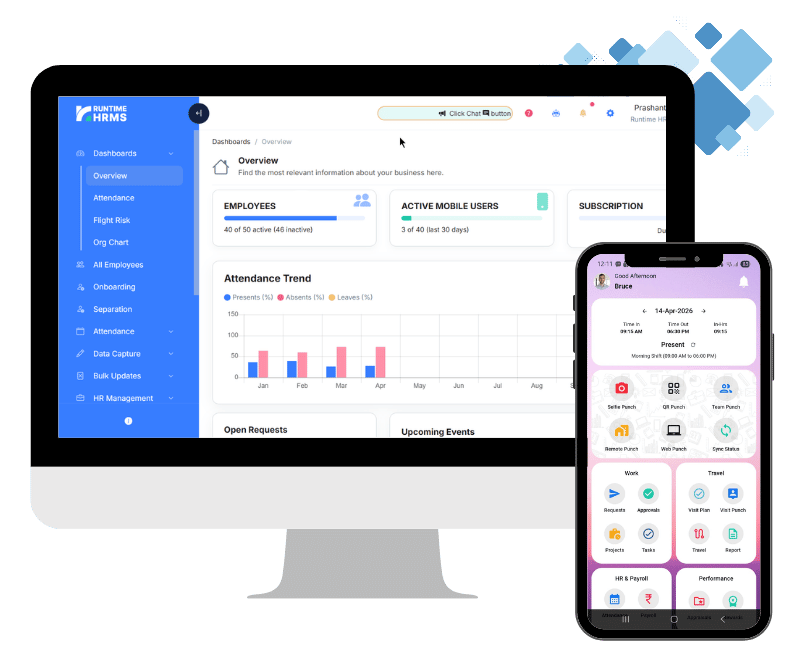
Everything we discussed above about automated attendance, configured salary structures, automatic statutory calculations, pre-payroll checklists, one-click payslips — Runtime HRMS does all of it.
Attendance — geo-tagged mobile attendance, biometric integration, auto-sync. No manual compilation.
Payroll engine — PF, ESI, TDS, PT calculated automatically based on configured structures.
Pre-payroll validation — system flags missing data, pending approvals, incomplete employee records before you run payroll.
One-click payslips — generated and sent to employees automatically after payroll approval.
Compliance reports — PF challan, ESI challan, TDS workings ready in one click after payroll.
When your attendance, leave, approvals, reimbursements, and payroll are connected in a Runtime HRMS, payroll becomes a review process instead of a data collection exercise. That’s where the real time and cost savings happen.
This is how you close payroll in 1 day in India — not by working faster, but by eliminating bottlenecks before they start.
👉 Book a Free Demo — See How Runtime HRMS Closes Payroll in 1 Day →