
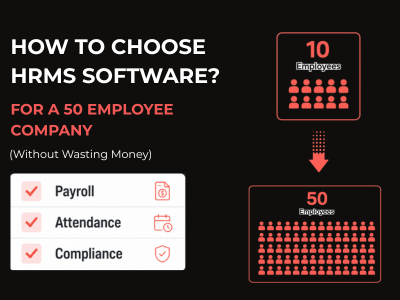
Looking For HRMS software for 50 Employee Company in India? Don’t want to waste money and time? OR managing everything in Excel feels like a daily punishment or life challenges.
Keeping attendance in one sheet, salary in another, leave tracking on WhatsApp, PF calculation on a calculator, makes you anxious. And you, the HR manager, sitting in the middle of this mess, and trying to be that sure nobody gets paid wrong and nobody calls you at 9pm asking where their payslip is.
Believe me, this is real pain of every HR team, and we hear this from hundreds of HR managers every month.
And you will be surprised that this is the time when most small businesses in India start searching for HRMS software. As per Ministry of Labor & Employment, India, PF and ESI compliance is mandatory for all companies with 20+ employees — and non-compliance can attract heavy penalties But this is also true that most of them either buy the wrong software, overpay for features they never use, or get trapped in a long contract they regret later. Just because of lack of knowledge, urgency of HRMS software or confused in software features or pricing, some of them just buy because someone suggest them.
So let me help you avoid all of that.
This guide is specifically written to help you find the best HRMS software for small business in India — one that fits your team size, budget and compliance needs.
Do You Actually Need HRMS Software Right Now?
What’s the honest answer? If you have 20+ employees and you’re still doing payroll manually, then yes, you needed it yesterday.
Are you facing these issues regularly:
- Payroll processing takes more than 2 days every month
- You’ve made a salary mistake in the last 6 months
- Employees keep asking you for payslips, leave balance, or attendance records on WhatsApp
- You’re not 100% sure your PF and ESI calculations are always correct
- You have field employees and honestly no idea how to track their attendance
- Your HR data is scattered across Excel, WhatsApp, email, and paper files
If you said yes to most of these, then friends, it’s time to search for HRMS Software.
Mistakes That Most 50-Employee Companies Make
Most of the time many companies doing the same mistakes, no matter how big or small they are. They either go too small or too big. And both are costly mistakes.
Too small – means buying a basic payroll tool that just calculates salary, and then they realize that it doesn’t handle attendance, leaves, or compliance. So, you’re still stuck managing three different tools and nothing is connected.
Too big – means buying an enterprise software like Darwinbox or SAP because it “looked impressive in the demo”, but then paying ₹50,000–₹1,00,000 per month for features that a 50-person team will honestly never use.
The 50-employee company need a complete HRMS solution but at affordable price — one that handles everything in one place without charging you enterprise prices.
What Features Do You Actually Need at 50 Employees?
Let me be very practical here. Forget the long feature list that sales demos show you. Here’s what a 50-person Indian company genuinely needs in 2026:
Payroll with Indian Compliance
Your software must automatically calculate PF, ESI, TDS, and Professional Tax. And it should stay updated when government rules change — because you don’t have time to manually update salary formulas after every budget announcement.
Attendance Management
At 50 employees, manual attendance register is a disaster. You need to adopt technology and for that mobile attendance with geo-tagging, especially if you have field staff or employees working from multiple locations. Biometric integration is a bonus if you have a physical office.
Leave Management
Employees should be able to apply for leave from their phone. You should be able to approve or reject it without opening a spreadsheet.
Employee Self Service
Your employees should be able to download their own payslips, check their leave balance, and submit tax declarations — without calling HR or WhatsApping you every single time. Just keep in mind, that this one feature alone saves HR managers 2–3 hours every day and reduces attrition around 70-80%.
HR Letters and Documents
Offer letters, increment letters, experience certificates — these should be one-click jobs, not 30-minute Word file editing sessions where you change the name and date manually every time.
MIS Reports
At 50 employees, your management will start asking for reports — salary costs, department-wise attendance, PF liability. Make sure that your HRMS can handle and generate these reports without any hassle and gives you tension free environment.
Good to Have Without Extra Cost
- Performance management (important, but not urgent at 50 employees)
- Recruitment module (useful if you hire frequently)
- Travel tracking (must-have if you have field sales or service teams — and no, Keka doesn’t have this)
- WhatsApp notifications (employees actually read WhatsApp — more useful than it sounds)
Don’t Worry About These at 50 Employees
- Global payroll (you’re in India, you don’t need this right now)
- Advanced AI analytics and workforce planning tools
- Custom integrations with 50 different third-party apps
- Dedicated implementation consultants
These are enterprise features. You’ll pay for them and honestly never use them.
How to Compare HRMS Software?
We know that every sales demo looks amazing. Every software claim to do everything. So how do you compare?
Let’s check my simple approach:
Step 1 — Make Your Non-Negotiable List
Write down the 5–6 features you absolutely cannot live without. Payroll compliance, mobile attendance, employee self-service — whatever your biggest daily pain points are. If a software doesn’t cover these, it’s out. No matter how good the demo looks.
Step 2 — Calculate the Real Monthly Cost
Don’t just look at the base price. Ask:
- Is payroll included or extra?
- Is mobile app included or extra?
- Are compliance reports included or extra?
- What happens to my price when I grow from 50 to 75 employees?
A software that looks cheap at ₹50/employee/month can become expensive, once you start adding modules.
Step 3 — Check the Free Trial Length
A 7-day trial is honestly not enough to evaluate payroll software. You need at least 30 days to configure salary structures, run one test payroll, and check if the numbers are right. If a vendor only gives you 7 days, they’re rushing you into a decision.
Step 4 — Test the Support
Send them a support message during the trial. See how fast they respond. For payroll software, support speed matters a lot — because payroll issues don’t wait. If they take 48 hours to reply during your trial, imagine what happens when you’re a paying customer trying to close salary on the 1st.
Step 5 — Ask for References
Ask the vendor for 2–3 reference customers of similar size. A good vendor will happily connect you. If they hesitate — that tells you something, no?
Things Keep in Mind Before Buying HRMS Software
Before you sign anything, watch out for these. Seriously.
Long mandatory contracts without a proper trial
If a vendor is pushing you to sign a 1 or 2 year contract before you’ve properly tested the software — that’s a red flag. Long term contract is a risky and costly.
Vague compliance promises
Saying this “Our software handles all Indian compliances” is not enough answer. Ask specifically — does it handle PF ECR file generation? ESI challan? Professional Tax by state? Form 16? If they can’t answer these specifically, their compliance coverage may not be complete.
Hidden implementation costs
Some vendors charge a one-time “implementation fee” of ₹10,000–₹50,000 just to set up the software. For a 50-employee company, setup should not cost extra — it should be part of the onboarding support.
No proper mobile app
In 2026, if a software doesn’t have a proper mobile app for employees — it’s just not the right choice. Your employees are on their phones. Your attendance, payslips, and leaves need to be there too.
My Honest Recommendation
Friends, if you ask me, here’s what I’d look for:
I prefer a software that covers payroll + attendance + compliance + employee self-service in one plan, charges per employee so you’re not overpaying, it gives you a proper trial time, and has a good customer support that actually always there when you have a problem.
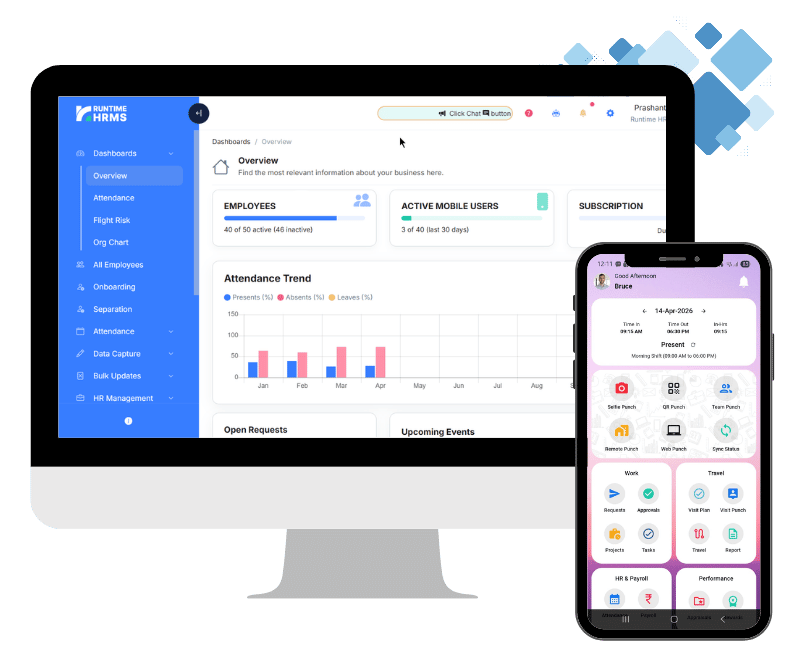
Runtime HRMS is built exactly for this. After evaluating multiple options, Runtime HRMS stands out as the most complete HRMS software for small business India has to offer at this price point.
Starting at ₹59/employee/month with payroll, PF/ESI/TDS compliance, mobile attendance, travel tracking, and a 30-day free trial — it is designed for Indian companies at exactly this stage of growth.
But don’t take my word for it. Try it yourself.
👉 Start your free Runtime HRMS trial →
No credit card required. No pushy sales calls. Just set it up, run a test payroll, and in that way you can check if it works for your team or not.
Quick Summary — What to Remember
At 50 employees, you need a complete HRMS — not just payroll software
- Don’t overpay for enterprise features you won’t use
- Always test with a free trial long enough to run one full payroll cycle
- Calculate total cost including all modules, not just base price
- Check support speed before you commit — not after
- A good HRMS should save your HR team at least 2–3 hours every day