
Quick Answer
“Salary calculation is usually incorrect due to attendance mismatches, incorrect salary structures, leave deductions (LOP), outdated PF/ESI/PT settings, overtime calculation errors, or payroll not being recalculated after changes. Reviewing these areas before processing payroll resolves most salary calculation issues.”
Introduction
This is one of the most common support tickets we receive at Runtime HRMS. And every time I read it, I know exactly what’s happening on the other side — an HR manager staring at a payslip that doesn’t match what it should be, trying to figure out where the number went wrong, with employees already asking questions. First, let’s check the most common reasons behind wrong salary calculation:
We see 9 reasons behind this, month after month.
- Attendance not synced with payroll.
- LOP days calculated incorrectly.
- PF on wrong salary base.
- New joiner salary not pro-rated.
- Salary revision missed before payroll run.
- TDS under wrong tax regime.
- ESI continuing after ₹21,000 threshold.
- Overtime calculated on wrong base.
- And payroll settings nobody has touched in months.
And you know what’s the frustrating part? In almost every case, the error was preventable. Not because the HR manager was careless — but because payroll has too many moving parts, and one wrong input anywhere in the chain changes the final number. I’ve spent years working with payroll teams across India. The errors repeat themselves. The same mistakes, in the same places, month after month — until someone builds a system to catch them.
Here are the most common reasons salary calculations go wrong in India — and exactly what to check when you find a discrepancy.
Salary Calculation Not Correct – 9 Common Reasons
1. Attendance Data Not Synced With Payroll
Salary calculation goes wrong when attendance data is not synced with payroll — causing incorrect LOP deductions for days the employee worked.
This is the root cause of more salary errors than anything else. Your HR software has two separate systems — attendance and payroll. If they don’t talk to each other automatically, someone has to manually transfer attendance data to the payroll system every month. And manual transfer means manual error.
For example, if an employee marked present for 26 days in the attendance system. The payroll system shows 24. Two days of LOP get deducted that shouldn’t be. For an employee earning ₹40,000 gross, two extra LOP days means ₹3,077 wrongly deducted.
How to resolve: Before running payroll, you must confirm that attendance data has been imported or synced into your payroll module. Check your employee headcount attendance with the number in payroll and the worked days.
Try Our: Time & Attendance Management System
2. LOP Days Calculated Incorrectly
LOP deduction formula: (Gross Salary ÷ 26) × LOP Days. Using wrong divisor or unsynced leave data causes incorrect salary calculation.
Loss of Pay is the most misunderstood component in Indian payroll. And the errors here come in two flavours — too many LOP days deducted, or too few.
The formula: LOP Deduction = (Gross Salary ÷ Total Working Days) × LOP Days
Most companies use 26 as the working days divisor. Some use actual working days in the month. Some use 30. Whichever you use — it must be consistent across all employees, every month.
How to resolve: You should always verify leave balances for all employees against leave applications for the month. Any pending leave approvals must be actioned before the payroll cutoff.
Try Our: Loss of Pay (LOP) Calculator
3. PF Calculated on the Wrong Salary Base
PF must be calculated on Basic + DA only — not gross salary. Using gross salary as PF base is the most common payroll compliance error in India.
The Code on Wages requires Basic + DA to be at least 50% of total CTC. If your salary structure was restructured but payroll still calculates PF on the old basic, every monthly ECR is wrong.
PF is calculated on Basic + DA only. Not gross salary. Not CTC. This is the rule — but it’s the rule most misapplied.
If an employee’s Basic is ₹15,000 and gross is ₹40,000, PF should be 12% × ₹15,000 = ₹1,800. Not 12% × ₹40,000 = ₹4,800.
How to resolve: Verify that your payroll system is calculating PF on the correct wage component for each employee, after any salary revision or structure change.
Easily Calculate PF with our: EPF Calculator
4. New Joiner Salary Not Pro-Rated Correctly
Pro-rata salary formula: (Monthly Gross ÷ 26) × Days Worked. Wrong joining date in system or wrong divisor causes incorrect first month salary.
I see that every company has a joining date cutoff for payroll and its typically the 1st of the month. Employees who join after that get their salary pro-rated for the days they actually worked.
If the joining date in the payroll system is different from the actual joining date Or the system calculates pro-rata on 30 days instead of 26. Or the weekends are excluded from the days count when they shouldn’t be.
How to resolve: For every new joiner, confirm the joining date in the system matches the actual offer letter joining date.
5. Salary Revision Not Updated Before Payroll Run
If salary revision is not updated in HRMS before payroll cutoff date, employee receives old salary — requiring arrear payment in the next month.
This happens most frequently during April and October and sometimes in mid of the month, when increments are communicated to employees, but salary revision doesn’t get updated in the payroll system before the cutoff date. And the results is, employee receives old salary. Calls HR. HR has to process an arrear in the next month. Employee is unhappy about the delay.
How to resolve: Maintain a salary change log — a running record of every revision, promotion, or compensation change that needs to be reflected in the next payroll run.
6. TDS Calculated Under the Wrong Tax Regime
From April 2026, new tax regime is default under Section 392. Employees must submit Form 124 to opt for old regime — otherwise TDS calculates without HRA or 80C deductions.
In this section there are some common mistakes like an employee wants the old regime and submitted their declaration. But the payroll system still has them on new regime. TDS is calculated without HRA exemption or 80C deductions. And the employee didn’t submit any declaration.
To avoid this mistake, at the start of every financial year, verify each employee’s tax regime setting in the payroll system against their submitted declaration.
How to resolve: At the start of every financial year, verify each employee’s tax regime setting in the payroll system against their submitted declaration.
Check TDS calculation with our: TDS Calculator
7. ESI Deducted After Salary Crosses ₹21,000
When salary crosses ₹21,000, ESI does not stop immediately. It continues until end of contribution period — September 30 or March 31 — not from the month of salary revision.
This issue happens in cases like when employee’s salary crosses ₹21,000 in July but HR stops ESI immediately from July. But according to the rules, ESI should continue through September 30 and stop from October 1.
OR
ESI deduction continues beyond the contribution period end date because nobody flagged the threshold crossing in the system.
How to resolve: If the salary revision crosses the ₹21,000 ESI threshold, note the contribution period boundary and set the ESI stop date accordingly.
Don’t puzzled, try out: ESI Calculator
8. Overtime Calculation Errors
Overtime pay must be calculated on the correct wage base. After the January 2026 Supreme Court ruling, factory workers’ overtime must include all allowances — not just Basic + DA.
This is the most common issue that almost every HR faces and I also received a lot of quires about this:
First is Wrong Rate – most HR managers know overtime is 1.5× or 2× the ordinary rate but most of the time they got confused which rate applies depends on the law — Factories Act employees get 2×, Shops Act employees typically get 1.5×.
Second is Wrong base – This is where it gets more serious, especially in factory workers. The correct calculation according to the rule should be:
If the factory worker with Basic ₹15,000 + allowances ₹8,000 = total ₹23,000, then:
Correct calculation: ₹23,000 ÷ 26 ÷ 8 × 2 = ₹221/hour overtime.
How to resolve: Always Verify which law applies to each employee category — Factories Act or Shops Act.
Check the latest rules with: Income Tax India →
9. Payroll Settings That Haven’t Been Refreshed
Payroll settings configured months or years ago may no longer be compliant — salary structures, tax regime defaults, ESI thresholds, and statutory rates all change and must be updated in the system.
If you are using HRMS payroll or a payroll software from years and they don’t have feature of automatic compliance updates, it can cause errors and stress.
This is the silent killer of payroll accuracy, because overall everything looks good but underneath, the payroll engine is running on outdated settings that haven’t been touched since someone configured them two years ago. This error may cause compliance issue also. So, at the start of every financial year — April — do a full payroll settings audit.
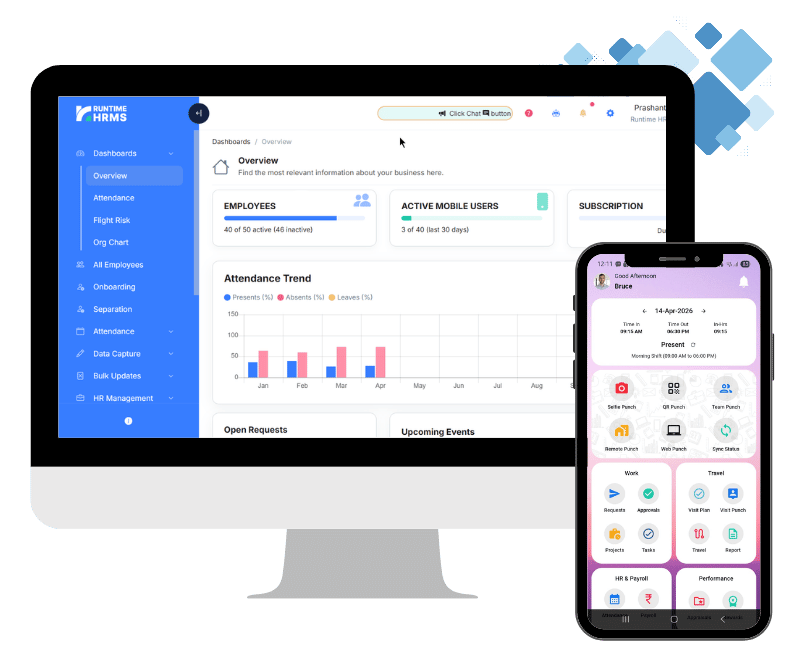
How to resolve: Modern HRMS software eliminates most of these errors by design, they reduce the manual errors and also attendance issue.
At Runtime HRMS, we built our payroll engine specifically so that the errors described in this article can’t happen silently. The goal is simple: salary should be right the first time. Every time.
Salary Calculation Troubleshooting Checklist
Before you run payroll next month — check these nine things:
| Check | Status |
| Attendance finalized | ☐ |
| Leave approved | ☐ |
| Salary structure verified | ☐ |
| PF settings verified | ☐ |
| ESI settings verified | ☐ |
| PT slab verified | ☐ |
| Overtime approved | ☐ |
| Holiday calendar updated | ☐ |
| Payroll recalculated | ☐ |
Read Our Detailed Article: